As crypto adoption surges in 2025, so do the risks of hacks, phishing scams, and platform breaches. That’s why more investors (both new and seasoned) are turning to cold wallet apps as the gold standard for safeguarding their crypto holdings.
Cold wallets offer offline storage, keeping your keys out of reach from online threats while still granting you control over your digital wealth. But with dozens of options claiming to offer “unbreakable” security, how do you separate hype from real protection?
This guide will walk you through the best cold wallet apps in 2025, highlighting their features, ideal use cases, and what makes them stand out in a rapidly evolving crypto landscape. Whether you’re storing your first Satoshi or securing a diverse portfolio, the right cold wallet can make all the difference.
What Is a Crypto Wallet?
A crypto wallet is a digital tool that stores your private keys, essentially the password that gives you access to your cryptocurrencies. While your coins exist on the blockchain, your wallet allows you to interact with them: sending, receiving, and managing assets securely.
Understanding Crypto Wallet Types
Not all crypto wallets are built the same. Choosing between a hot wallet and a cold wallet depends on how often you transact, your risk tolerance, and your security preferences.
Comparison of Hot Wallets vs. Cold Wallets
| Wallet Type | Definition | Pros | Cons | Types / Examples |
| Hot Wallets | Connected to the internet via mobile apps, desktop software, or browser extensions. | – Fast and convenient – Ideal for daily transactions – Often free and easy to set up | – More vulnerable to hacks, malware, and phishing – Depends on device security | – Mobile apps (e.g., best crypto wallet app for Android/iPhone) – Desktop wallets – Browser wallets |
| Cold Wallets | Stores crypto keys offline, offering stronger protection by being disconnected from internet. | – Maximum protection from cyber threats – Ideal for long-term or high-value holders | – Less convenient for frequent use – Requires physical hardware purchase | – Devices like Ledger and Trezor. Note: This article focuses on hot wallets for app-based use. |
Key Factors to Consider When Choosing a Crypto Wallet App
Choosing the right crypto wallet app can feel overwhelming, especially with so many options available. Here are the key factors you should evaluate before making a decision:
- Security: Look for features like two-factor authentication (2FA), biometric login, and encrypted private key storage. Security audits and open-source code are also big pluses.
- Supported Coins: Some wallets support only Bitcoin and Ethereum, while others handle thousands of tokens across multiple chains. Choose based on the assets you own or plan to buy.
- Ease of Use: Whether you’re a beginner or a pro, a clean and intuitive interface is essential for managing your funds confidently.
- Backup & Recovery: Ensure the wallet allows you to back up your keys or seed phrases, and that recovery options are simple and secure.
- DeFi & NFT Integration: If you’re into decentralized finance or NFTs, choose an app with native support for DApps, staking, or NFT galleries.
- Cross-Platform Syncing: A wallet that works seamlessly across Android, iOS, and desktop helps you manage your crypto wherever you are.
- Fee Transparency: Some wallets charge high fees for sending or swapping crypto. Always check how fees are calculated.
20 Best Crypto Wallet Apps for Android and iOS in 2025
In 2025, crypto wallet apps are smarter, faster, and more secure than ever. Whether you’re holding Bitcoin, Ethereum, Solana, or meme coins, these wallet apps offer a balance of usability and protection. Here’s a quick overview of the top-rated crypto wallet apps for both Android and iOS, evaluated based on security, functionality, user experience, and platform compatibility.
| App Name | Rating (out of 10) | Key Highlights |
| Trust Wallet | 9.5 | Supports 70+ blockchains, in-app DEX, NFT and staking integration |
| MetaMask | 9.3 | Top Ethereum wallet, DeFi-ready, browser and mobile sync |
| Coinbase Wallet | 9.2 | Beginner-friendly, Web3 access, integrates with Coinbase exchange |
| Exodus | 9.1 | Stunning UI, 300+ assets, desktop & mobile sync, built-in exchange |
| Crypto.com DeFi Wallet | 9.0 | Full DeFi control, supports 700+ tokens, native CRO integration |
| Atomic Wallet | 8.9 | Non-custodial, supports 500+ coins, staking and swaps |
| Guarda Wallet | 8.8 | Multi-platform, non-custodial, staking, browser and mobile versions |
| Zengo | 8.8 | No private key (MPC tech), biometric security, beginner-friendly |
| Phantom | 8.7 | Best for Solana, DeFi/NFTs ready, sleek UI |
| BitPay Wallet | 8.7 | Bitcoin-focused, crypto + fiat support, gift card integration |
| Trezor Suite (Mobile) | 8.6 | Companion to Trezor hardware wallets, advanced security features |
| BRD Wallet | 8.5 | Clean interface, Bitcoin-first, now integrated with Coinbase |
| BlueWallet | 8.5 | Focused on Bitcoin & Lightning, strong privacy, open-source |
| Argent Wallet | 8.4 | Smart contract wallet, Layer 2 support, gasless transactions |
| Binance Wallet App | 8.4 | Deep ecosystem integration, trading & staking tools |
| SafePal Wallet | 8.3 | Cold + hot wallet integration, token swaps, DApp access |
| Coinomi | 8.3 | Multi-chain, built-in exchange, strong privacy focus |
| Pillar Wallet | 8.2 | Smart wallet with contact-based transfers, EVM support |
| Rainbow Wallet | 8.2 | Ethereum-focused, NFT and DeFi UI excellence, simple UX |
| BitKeep Wallet | 8.1 | Supports 90+ chains, Web3 browser, DEX aggregator |
1. Trust Wallet
Trust Wallet is a non-custodial mobile wallet that supports over 10 million assets across more than 100 blockchains. It offers users full control over their private keys and provides features like in-app staking, decentralized exchange (DEX) access, and NFT storage. The wallet’s user-friendly interface and robust security measures, including biometric authentication and encrypted cloud backups, make it a popular choice among crypto enthusiasts.
Key Features:
- Multi-chain asset support
- In-app DEX and staking
- WalletConnect & DApp integration
- Non-custodial with private key control
Platform: Android, iOS
Best For: All-in-one crypto users
| Pros | Cons |
| Supports multiple chains, in-app staking, user-friendly | Limited desktop access, lacks hardware integration |
2. MetaMask
MetaMask is a widely-used self-custodial wallet that allows users to interact with the Ethereum blockchain and its ecosystem of decentralized applications (dApps). Available as both a browser extension and mobile app, MetaMask supports Ethereum and ERC-20 tokens, providing features like token swaps and integration with various DeFi platforms. Its user-friendly interface and strong security measures have made it a staple in the crypto community.
Key Features:
- Ethereum + EVM chains
- Custom RPC & token addition
- Web3 browser built-in
- Syncs with desktop extension
Platform: Android, iOS
Best For: Ethereum and DeFi enthusiasts
| Pros | Cons |
| Popular for Ethereum, wide dApp access, browser extension | Browser-focused, can be confusing for beginners |
3. Coinbase Wallet
Coinbase Wallet is a self-custody wallet that enables users to store and manage a wide array of cryptocurrencies and NFTs. It provides seamless integration with decentralized applications (dApps) and supports over 1,000 cryptocurrencies. The wallet’s intuitive design and strong security measures, including biometric authentication and cloud-based backups, make it a popular choice among both new and seasoned users.
Key Features:
- DeFi + NFT compatibility
- DApp browser
- Cloud or manual backup
- Supports multiple assets beyond Coinbase listings
Platform: Android, iOS
Best For: Beginners transitioning to self-custody
| Pros | Cons |
| Integrated with Coinbase, strong branding, NFT support | Tied to Coinbase ecosystem, not truly decentralized |
4. Exodus
Exodus is a beautifully designed wallet that supports 300+ crypto assets. It features built-in swaps, staking, and a desktop version with seamless syncing. It provides features like in-app exchanges, portfolio tracking, and integration with hardware wallets for enhanced security. Exodus is known for its ease of use, making it an excellent choice for users new to the crypto space.
Key Features:
- 300+ assets
- Built-in exchange
- Staking for major coins
- Multi-device sync
Platform: Android, iOS, Desktop
Best For: Visual learners and everyday investors
| Pros | Cons |
| Excellent UI, built-in exchange, cross-platform | Limited DeFi access, not open-source |
5. Crypto.com DeFi Wallet
The Crypto.com DeFi Wallet is a non-custodial wallet that allows users to manage their crypto assets with full control over their private keys. It supports a wide range of cryptocurrencies and provides features like staking and integration with decentralized finance (DeFi) protocols. The wallet’s user-friendly interface and robust security measures make it suitable for both beginners and experienced users.
Key Features:
- Supports 700+ tokens
- Built-in swaps and DeFi features
- Secure backup and recovery
- Integration with Crypto.com services
Platform: Android, iOS
Best For: DeFi users and CRO token holders
| Pros | Cons |
| Focus on DeFi, wallet connect, easy swaps | Complex for beginners, DeFi risks |
6. Atomic Wallet
Atomic Wallet is a decentralized, multi-currency wallet that supports over 500 cryptocurrencies. It offers features like built-in exchanges, staking, and a user-friendly interface. Atomic Wallet connects directly to blockchain nodes, retrieving real-time data about holdings and enabling users to initiate transactions seamlessly.
Key Features:
- 500+ crypto assets
- Staking for 10+ coins
- Built-in atomic swaps
- Full control of private keys
Platform: Android, iOS, Desktop
Best For: Cross-platform users who value self-custody
| Pros | Cons |
| Multi-asset support, in-app exchange, secure | Occasional bugs, limited fiat options |
7. Guarda Wallet
Guarda Wallet is a non-custodial, multi-platform wallet that supports over 50 major blockchains and 400,000+ tokens. It allows users to buy, send, receive, stake, and exchange assets directly within the wallet interface. Guarda Wallet provides users with a secure platform to manage a wide range of cryptocurrencies, including Bitcoin, Ethereum, and many others.
Key Features:
- Multi-asset support
- Staking and exchange
- Available on web, desktop, mobile
- Secure backups and seed storage
Platform: Android, iOS, Desktop, Web
Best For: Multi-device users and stakers
| Pros | Cons |
| Non-custodial, multi-device support, wide asset coverage | Subscription plans, resource heavy |
8. Zengo
Zengo is the world’s first keyless crypto wallet, offering security without compromising on comfort and ease of use. It utilizes multi-party computation (MPC) technology, eliminating the need for traditional private keys. Zengo supports a variety of cryptocurrencies and offers features like savings and staking options.
Key Features:
- No private key: uses MPC tech
- Biometric login
- 24/7 in-app customer support
- Supports BTC, ETH, DOGE, and more
Platform: Android, iOS
Best For: Beginners concerned with key management
| Pros | Cons |
| No private key, biometric security, user recovery | Requires trust in cloud recovery, not open source |
9. Phantom
Originally built for the Solana blockchain, Phantom has expanded its support to include Ethereum and Polygon. It offers a sleek interface, in-app token swaps, and NFT management capabilities. Phantom’s focus on user experience and security features, such as biometric authentication, make it a popular choice among crypto enthusiasts.
Key Features:
- Solana-native
- Staking and NFT gallery
- Clean mobile and browser experience
- Supports Ledger integration
Platform: Android, iOS, Browser
Best For: Solana investors and NFT collectors
| Pros | Cons |
| Optimized for Solana, NFT integration, lightweight | Limited to Solana ecosystem |
10. BitPay Wallet
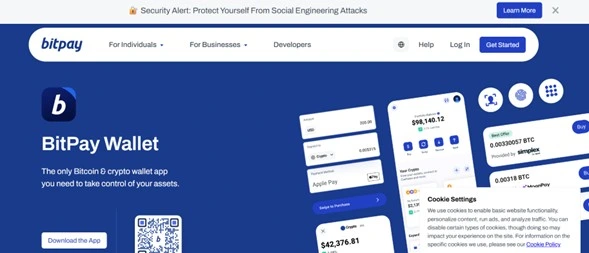
BitPay Wallet is a secure, open-source wallet that allows users to manage their Bitcoin and other cryptocurrencies. It offers features like in-app purchases, integration with the BitPay Card, and support for multiple wallets. BitPay Wallet’s user-friendly interface and robust security measures make it a reliable choice for managing crypto assets.
Key Features:
- Bitcoin, ETH, and other assets
- Built-in spending via gift cards
- Connects to BitPay debit card
- Open-source wallet
Platform: Android, iOS
Best For: Everyday spending and BTC holders
| Pros | Cons |
| Supports Bitcoin & other coins, easy to use | Limited advanced features, lacks NFT support |
11. Trezor Suite (Mobile Companion App)
Trezor Suite Mobile is the companion app for Trezor hardware wallets, allowing users to manage their crypto assets on the go. It provides a secure interface for sending, receiving, and monitoring cryptocurrencies, with support for various coins and tokens. The app emphasizes security by requiring physical confirmation on the Trezor device for transactions.
Key Features:
- Trezor integration
- View balances and transaction history
- Recovery & backup tools
- Supports BTC, ETH, ERC-20 tokens
Platform: Android, iOS
Best For: Trezor hardware wallet users
| Pros | Cons |
| Secure interface, hardware wallet integration, mobile access | Requires Trezor device, limited without it |
12. BRD Wallet (now part of Coinbase)
BRD Wallet, formerly known as BreadWallet, was a user-friendly mobile wallet that allowed users to buy, sell, and exchange various cryptocurrencies, including Bitcoin, Ethereum, and ERC-20 tokens. It emphasized simplicity and security, offering a straightforward interface for managing digital assets. However, as of 2025, BRD Wallet is no longer operational. Users are advised to import their BRD wallet seeds into Coinbase Wallet or transfer funds to other reliable wallets like Binance or Ledger.
Key Features:
- Simple, beginner-friendly UI
- BTC, BCH, ETH support
- Integrated with Coinbase account
- Full control of private keys
Platform: Android, iOS
Best For: BTC beginners and Coinbase users
| Pros | Cons |
| User-friendly, easy backup, legacy support | No longer operational, users must migrate |
13. BlueWallet
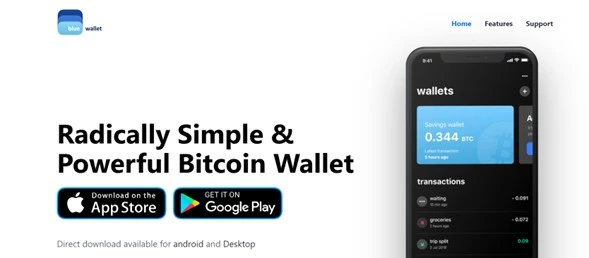
BlueWallet is a Bitcoin-only wallet designed for users who prioritize simplicity and security. It supports both on-chain and Lightning Network transactions, allowing for fast and low-fee payments. BlueWallet offers features like watch-only wallets, multisig vaults, and integration with hardware wallets, catering to both beginners and advanced users.
Key Features:
- Full BTC and Lightning support
- Open-source and customizable
- Tor support for anonymity
- Multisig & watch-only wallets
Platform: Android, iOS
Best For: Bitcoin purists and Lightning users
| Pros | Cons |
| Great for Bitcoin, Lightning Network support, simple UI | Bitcoin-only, no altcoin support |
14. Argent Wallet
Argent Wallet is a smart contract-based wallet that provides a user-friendly experience for managing Ethereum-based assets. It eliminates the need for seed phrases by utilizing social recovery mechanisms and offers features like one-tap DeFi access, integrated dApp browser, and support for Layer 2 networks like StarkNet. Argent emphasizes security and ease of use, making it suitable for both newcomers and experienced users.
Key Features:
- Gasless transactions
- Social recovery (no seed phrase)
- DeFi integrations: Aave, Compound
- NFT gallery support
Platform: Android, iOS
Best For: Ethereum DeFi users
| Pros | Cons |
| Smart contract wallet, social recovery, Layer 2 access | Ethereum only, not ideal for multi-chain users |
15. Binance Wallet App
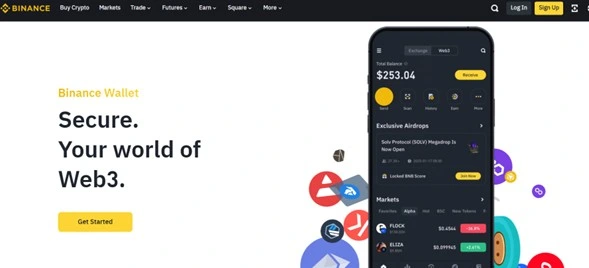
The Binance Wallet App is a multi-chain, semi-custodial wallet that integrates seamlessly with the Binance ecosystem. It utilizes Multi-Party Computation (MPC) technology to enhance security without the need for seed phrases. The wallet supports a wide range of cryptocurrencies and provides features like token swaps, staking, and access to decentralized applications.
Key Features:
- Built-in Binance exchange
- Supports BNB Chain and major tokens
- DApp and DeFi access
- Cross-platform sync
Platform: Android, iOS
Best For: Active Binance users
| Pros | Cons |
| MPC security, seamless Binance integration, multi-chain | Somewhat centralized, MPC model tradeoffs |
16. SafePal Wallet
SafePal Wallet is a decentralized, multi-platform wallet that supports over 10,000 cryptocurrencies across 200+ blockchains. It offers a secure and intuitive interface for managing digital assets, with features like in-app trading, staking, and NFT support. SafePal also provides a hardware wallet option for users seeking enhanced security.
Key Features:
- Cold & hot wallet compatibility
- In-app DEX & DApp browser
- NFT storage & staking
- Multi-chain support
Platform: Android, iOS
Best For: Users wanting hybrid cold-hot storage
| Pros | Cons |
| Supports 10,000+ coins, hardware option available | App-dependent, some UX limitations |
17. Coinomi
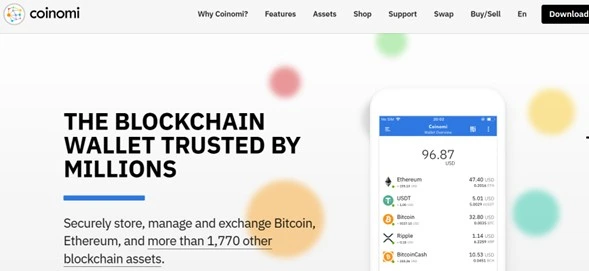
Coinomi is a multi-chain wallet that supports over 125 blockchains and thousands of tokens. It offers native support for various cryptocurrencies, ensuring users have full ownership of their assets. Coinomi emphasizes security and privacy, providing features like encrypted private keys and no KYC requirements.
Key Features:
- 125+ blockchains
- Built-in exchange
- Strong encryption
- No user data collection
Platform: Android, iOS, Desktop
Best For: Multi-chain privacy-focused users
| Pros | Cons |
| Supports 125+ blockchains, strong privacy | Basic interface, lacks modern UI |
18. Pillar Wallet
Pillar Wallet is a community-driven, multichain DeFi wallet that offers low-to-no gas fees and cross-chain functionality. It enables users to manage tokens, NFTs, and dApps across multiple blockchains from a single interface. Pillar emphasizes user empowerment through its DAO governance model, allowing PLR token holders to influence the wallet’s development.
Key Features:
- Contact-based transactions
- DAO governance
- Layer 2 integration
- Custom UI for assets & NFTs
Platform: Android, iOS
Best For: Social crypto users and communities
| Pros | Cons |
| Cross-chain, DAO-driven, minimal gas fees | Less known, small user base |
19. Rainbow Wallet
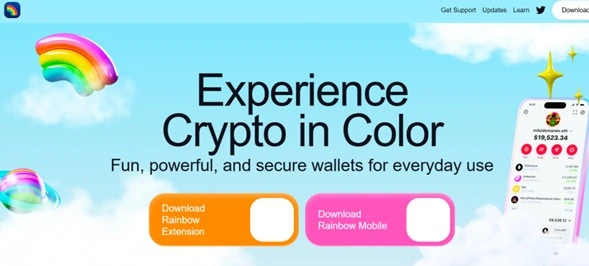
Rainbow Wallet is an Ethereum-centric wallet known for its vibrant and intuitive user interface. It supports Ethereum-based assets, NFTs, and integrates with Layer 2 networks like Optimism and Arbitrum. Rainbow offers features like ENS support, in-app token swaps, and a built-in dApp browser, making it a favorite among users who value design and functionality.
Key Features:
- Ethereum & ERC-20 tokens
- NFT viewer
- ENS support
- Rainbow Bridge (cross-chain)
Platform: Android, iOS
Best For: New Ethereum users and NFT fans
| Pros | Cons |
| Beautiful UI, ENS support, L2 ready | Ethereum-focused only |
20. BitKeep Wallet
BitKeep Wallet is a decentralized, multi-chain wallet that supports over 20,000 cryptocurrencies across 80+ blockchains. It offers features like in-app trading, NFT marketplace access, and DeFi integration. BitKeep emphasizes user security with features like private key encryption and biometric authentication.
Key Features:
- Supports 90+ blockchains
- DEX & NFT marketplace built-in
- Hardware wallet compatible
- Real-time token price tracking
Platform: Android, iOS
Best For: Multi-chain DeFi users
| Pros | Cons |
| Wide asset support, DeFi & NFT features | Occasional bugs, UX inconsistency |
Top Crypto Wallet Apps (2025)
Choosing the right crypto wallet app depends on your platform, coin preferences, and how you plan to use it. Below is a comparison of the best wallet apps in 2025 to help you make a faster decision.
| Wallet App | Platforms | Security Features | Supported Coins | Best For | Free/Paid |
| Trust Wallet | Android, iOS | Encrypted keys, PIN, biometric, WalletConnect | 70+ blockchains | All-in-one users | Free |
| MetaMask | Android, iOS | Password, private keys, open-source | ETH & EVM tokens | DeFi & Web3 users | Free |
| Coinbase Wallet | Android, iOS | Secure enclave, biometric, 2FA (optional) | 100+ tokens | Beginners | Free |
| Exodus | Android, iOS, Desktop | Encrypted keys, password protection | 300+ tokens | Desktop + mobile sync | Free |
| Crypto.com DeFi | Android, iOS | Biometric, PIN, private keys | 700+ tokens | DeFi & CRO holders | Free |
| Atomic Wallet | Android, iOS, Desktop | Encrypted private keys, password | 500+ coins | Altcoin investors | Free |
| Guarda Wallet | All platforms | Private keys stored locally | 400+ tokens | Multiplatform users | Free |
| Zengo | Android, iOS | Keyless MPC, face ID, no seed phrase | 50+ coins | Beginners worried about recovery | Free |
| Phantom | Android, iOS, Browser | Secure private keys, Ledger integration | Solana & tokens | SOL & NFT users | Free |
| BitPay Wallet | Android, iOS | Private keys on device, password protection | BTC, ETH, stablecoins | Spending crypto | Free |
How to Download and Set Up Your Crypto Wallet App
Getting started with a crypto wallet app is easier than ever in 2025. Here are the general steps for setting up most wallet apps:
- Download the App
Head to the Google Play Store or Apple App Store and search for your chosen wallet (e.g., Trust Wallet, MetaMask). - Install and Open
Follow the standard installation process and launch the app once downloaded. - Create a New Wallet
Choose “Create Wallet” and follow the prompts. Some apps use seed phrases, while others (like Zengo) use biometric security. - Back Up Your Wallet
Secure your recovery phrase or enable backup methods. Store them offline, never in screenshots or notes. - Secure Your Wallet
Activate PIN, biometric login, or two-factor authentication where available. - Add Crypto Assets
Import tokens or scan a QR code to receive crypto into your wallet. - Start Exploring
Use built-in DEXs, staking features, or connect to Web3 DApps depending on your wallet.
Important Security Tips for Using Crypto Wallet Apps
Security is everything in crypto. Keep your wallet (and your assets) safe with these essential tips:
- Back Up Your Seed Phrase: Store it offline, never on cloud storage, screenshots, or shared devices.
- Use Biometric or PIN Lock: Prevent unauthorized access to your app and device.
- Enable Two-Factor Authentication: Especially for apps that connect to exchanges or online platforms.
- Beware of Phishing: Only download apps from verified sources and double-check URLs before entering sensitive data.
- Keep Your App Updated: New versions fix vulnerabilities—stay current.
- Avoid Public Wi-Fi: Always use secure, private internet connections for wallet access.
Conclusion
With dozens of wallet apps available, finding the best crypto wallet app comes down to your personal needs: Are you trading NFTs? Holding for the long-term? Exploring DeFi?
From Trust Wallet’s multichain support, to MetaMask’s Web3 dominance, or Zengo’s beginner-friendly keyless security, there’s a perfect option out there for everyone in 2025.
The most important rule: choose a wallet that balances usability with uncompromising security, because in crypto, you are your own bank.
Frequently Asked Questions
Apps like Trust Wallet, Zengo, and MetaMask offer strong security features, but hardware wallets like Ledger or Trezor still provide the highest level of protection.
Yes. Multi-chain wallets like Trust Wallet, Atomic Wallet, and Guarda allow you to store and manage hundreds of coins in one place.
Most wallet apps are free to download and use. Some charge fees for transactions, swaps, or staking, but there’s no cost to store assets.
If you’ve backed up your seed phrase or recovery method properly, you can restore your wallet on another device. Without backup, your funds may be permanently lost.
During setup, wallets provide a seed phrase or recovery method. If you lose access, simply reinstall the app and select “Restore Wallet,” entering your backup phrase to recover your funds.